🔑 Key Takeaways
- Vibe coding is the practice of building software through plain English prompts to an AI model, without writing code manually.
- The core process is simple: describe, generate, test, and refine until the output matches your goal.
- Tools like Bolt.new, Replit, Lovable, Cursor, and Claude make vibe coding accessible to complete beginners.
- Vibe coding produces real, portable code, unlike no-code tools that lock you into a platform’s boundaries.
- It works best for landing pages, MVPs, internal tools, and automation scripts.
- It is not a replacement for developers on complex, scalable, or security-critical products.
You don’t need to know what a for loop is anymore.
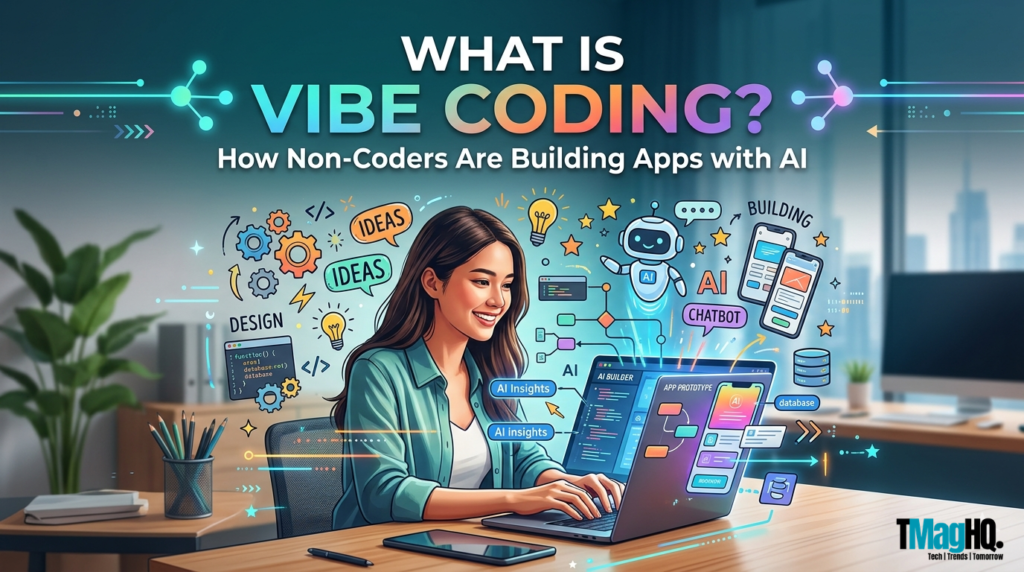
That’s not an exaggeration. Right now, people with zero programming experience are building working web apps, internal tools, and browser extensions using nothing but plain English and an AI model. They describe what they want, the AI writes the code, and they keep refining until it works. No syntax. No Stack Overflow. No computer science degree.
This approach has a name: vibe coding.
It’s one of the fastest-growing trends in tech right now, and it’s not just for developers looking for a shortcut. It’s for anyone who has ever had a software idea but no way to build it. If that’s you, this guide is written for you.
By the end of this post, you’ll know exactly what vibe coding is, where it came from, how the process actually works, which tools are worth trying, and what its real limitations are.
Where Did Vibe Coding Come From?
The term was coined by Andrej Karpathy in February 2025. Karpathy is a founding member of OpenAI and was previously the head of AI at Tesla.
In a post on X, he described handing over almost all code-writing to an AI model. Not just autocomplete or quick fixes. Full implementation. He described forgetting he was even working with code. The vibe, as he put it, was the thing. Hence the name.
Why did it catch on so fast?
The idea spread quickly because it described something people were already doing without a label for it. Developers were using Claude, ChatGPT, and GitHub Copilot to write whole functions, then whole files, then whole features. Non-technical founders were prompting AI tools to build MVPs without hiring a developer. The term gave all of that a shared identity.
What made it different from no-code
Earlier, no-code tools gave you a visual interface with fixed boundaries. Vibe coding skipped the interface entirely and replaced it with large language models that write actual, portable code from a plain English description.
This connects closely to what’s happening in Agentic AI, where AI models don’t just respond to prompts but take sequences of actions to complete a goal. You no longer needed to learn a platform’s logic or hit its limitations. You just needed to describe what you wanted clearly enough for an AI to act on it.
How Vibe Coding Works: The Actual Process
The process is simpler than it sounds, and the best way to understand it is to walk through a real example.
Say you want to build a simple link-in-bio page. The kind of page that shows your name, a short bio, and a list of clickable links. Normally, this requires HTML, CSS, and a basic understanding of how to deploy a site. With vibe coding, here’s what the process actually looks like.
Step 1: Describe what you want
You open a vibe coding tool like Bolt.new, Replit, or Claude, and type something like: “Build me a link-in-bio page. It should have my name at the top, a short bio below it, and five clickable buttons linking to my social profiles. Make it clean and minimal with a white background.”
That’s your prompt. No code required.
Step 2: The AI generates a working draft
The tool responds with actual code, usually HTML, CSS, and sometimes JavaScript, along with a live preview of what it looks like. In most modern vibe coding tools, you see the result in real time. It won’t be perfect on the first pass, but it will be functional.
Step 3: You test and give feedback
This is where vibe coding differs from just asking an AI a question. You interact with what it built. You click the buttons, check how it looks on mobile, and notice that the font is too small or the spacing feels off. Then you describe the problem in plain language: “The buttons look too cramped. Add more space between them and make the text slightly larger.”
The AI updates the code. You check again.
Step 4: Repeat until it works
You keep this loop going: describe, generate, test, refine, until the result matches what you had in your head. For a simple page like this, most people get there in 15 to 30 minutes. For something more complex, like a form that submits data or a dashboard that pulls from a spreadsheet, it takes longer. The process stays the same.
What you are doing throughout all of this is directing, not coding. You’re making product decisions. You’re describing outcomes. You’re catching problems and articulating them clearly. The AI handles the technical implementation.
That shift from writing code to directing outcomes is the core of what vibe coding actually means.
Best Vibe Coding Tools in 2025
The ecosystem grew fast. A handful of tools have pulled ahead as the go-to options for non-coders building with AI.
A] Bolt.new
Bolt.new is one of the most beginner-friendly options available right now. You describe your app in a text box, and it generates a fully functional project with a live preview. It handles frontend and basic backend logic, and you can deploy directly from the interface. The free tier is generous enough to experiment with before committing.
B] Cursor
Cursor is a code editor built on top of VS Code with AI baked into every layer. It’s better suited to people who are comfortable looking at code, even if they can’t write it from scratch. You can highlight a section, describe what you want it to do differently, and the cursor rewrites it. Developers use it to move faster. Non-coders use it to understand what’s actually happening under the hood.
C] Replit
Replit has been around longer than most and recently leaned hard into AI-assisted building. It’s a browser-based environment, which means nothing to install. You write a prompt, Replit generates the project, and you can run it immediately. It also has a strong community, which helps when you get stuck.
D] Lovable
Lovable is specifically built for turning ideas into web apps through conversation. The interface is designed for non-technical users, and the output leans toward clean, production-ready UI. It’s a solid choice for founders building MVPs or landing pages quickly.
E] v0 by Vercel
v0 is focused on generating UI components. If you need a specific interface element, a pricing table, a sign-up form, or a dashboard card, you describe it, and v0 generates the code. It’s less of a full app builder and more of a component generator, which makes it useful in combination with other tools.
F] Claude
Claude works well as a vibe coding partner even without a dedicated IDE. If you want to understand how Claude compares to other AI models for tasks like this, our Claude vs ChatGPT breakdown covers the differences in detail. You can share a project goal, get a full file of working code, paste it into a simple HTML file, open it in a browser, and iterate from there. For straightforward projects, this workflow is fast and requires no accounts or setup beyond the Claude interface.
| Tool | Best for | Free tier |
| Bolt.new | Full app building, beginners | Yes |
| Cursor | Code-aware editing, hybrid users | Yes (limited) |
| Replit | Browser-based building, community | Yes |
| Lovable | MVPs, product founders | Limited trial |
| v0 by Vercel | UI components | Yes |
| Claude | Flexible coding partner, quick prototypes | Yes |
Vibe Coding vs No-Code Tools: What’s the Difference?
This is one of the most common questions that comes up, and it’s worth answering properly because they serve different needs.
No-code tools like Webflow, Bubble, and Glide give you a visual interface to build products. You drag elements onto a canvas, connect logic through dropdown menus, and publish. The tool abstracts the code completely. You never see it. The tradeoff is that you’re always working within the tool’s boundaries. If the platform doesn’t support a feature natively, you hit a wall.
Vibe coding skips the visual interface entirely. Instead of clicking through menus, you describe what you want in plain English and the AI generates actual code. That code can then do anything code can do. There are no platform restrictions because the output is real, portable, runnable code that you own.
Here’s where they overlap: both let you build without writing code manually. Both are faster than traditional development for simple projects. Both have a learning curve, though vibe coding’s is gentler because it requires no knowledge of visual tools.
Here’s where they differ:
- Flexibility. Vibe coding wins. Because you’re working with actual code, you’re not limited to what a platform supports. You can build custom logic, integrate any API, and export your project to any host.
- Reliability. No-code tools win. Webflow and Bubble are stable, tested products. Vibe-coded output depends on the AI’s accuracy, which means bugs are possible and sometimes subtle.
- Maintenance. No-code tools win here, too. If you update a Webflow site, you click through a familiar interface. If you need to update a vibe-coded project six months later, you’ll need to re-engage the AI and hope the context is clear enough to make changes without breaking things.
- Cost. Both can be free to start. No-code tools often charge based on features and traffic. Vibe coding costs come from AI tool subscriptions, which are generally low.
For a simple landing page or portfolio, either approach works. For a product with custom logic, user authentication, or API integrations, vibe coding gives you more headroom.
Real Things Non-Coders Are Building with Vibe Coding
The most convincing argument for vibe coding isn’t the theory. It’s the list of things people are actually shipping.
1. Landing pages and microsites
This is the most common starting point. Founders, freelancers, and content creators are building clean, fast landing pages in an afternoon. They describe the layout, copy, and color scheme, and the AI produces a deployable HTML file. No Webflow subscription required.
2. Internal tools and dashboards
Small teams are building tools for their own use: spreadsheet-to-dashboard converters, simple CRMs, invoice generators, and content trackers. These are the kinds of tools that used to require a developer or a pricey SaaS subscription. With vibe coding, a non-technical founder can build a working version in a weekend.
3. Chrome extensions
Browser extensions are surprisingly accessible through Vibe coding. People are building extensions to block distractions, auto-fill forms, reformat web pages, and capture content from sites. The code structure for a Chrome extension is well-documented enough that AI models handle it reliably.
4. SaaS MVPs
This is the most ambitious use case, and it’s real. Early-stage founders are using vibe coding tools to ship an MVP fast enough to test with real users before writing a single line of code themselves. The product is rough but functional enough to validate the idea. That’s all an MVP needs to be.
5. Automation scripts
Non-coders are building Python scripts that rename files in bulk, pull data from APIs, send automated emails, or resize images in batches. Tasks that used to require a developer or a tutorial marathon now take a prompt and a few minutes.
Limitations You Should Know Before You Start
Vibe coding is genuinely useful. It’s also genuinely limited, and being honest about both sides is more useful than hype.
1. AI models make mistakes
The code an AI generates can have bugs. Sometimes obvious ones, sometimes subtle ones that only appear under specific conditions. If you can’t read code, you can’t always spot the problem yourself. You’ll need to describe what’s going wrong and hope the AI can diagnose and fix it from your description.
2. Complex projects get harder to manage
For a simple page or script, vibe coding is fast. As the project grows in complexity, the AI starts to lose track of context. Changes in one part of the codebase can break another part. The iterative loop slows down. This is where non-coders often hit a ceiling.
3. You’re dependent on the AI for every change
Once your project is built, any future update requires going back to the AI. If you don’t understand the code structure, you can’t make changes manually. That creates a long-term dependency that’s worth factoring in for anything you plan to maintain.
4. Security gaps are real
AI-generated code isn’t automatically secure. If your project handles user data, payments, or authentication, the code needs to be reviewed by someone who understands security. Shipping a vibe-coded product that processes sensitive data without a security review is a genuine risk.
5. Debugging can be frustrating
When something doesn’t work, and you don’t understand the code, explaining the problem to an AI is harder than it sounds. “It’s not working” isn’t enough information. You need to describe what’s happening, what you expected to happen, and ideally share any error messages. That takes patience and a bit of practice.
None of this means vibe coding isn’t worth trying. It means going in with realistic expectations is the right approach.
Is Vibe Coding Right for You?
It depends on what you’re trying to build and how you plan to use it.
Vibe coding is a strong fit if:
- You have a clear idea, but no coding background
- You’re building something for personal use, internal use, or early validation
- You want to move fast without hiring a developer
- You’re comfortable with iteration and don’t need a perfect result on the first pass
- The project is relatively contained: a landing page, a tool, a script, a prototype
You should probably hire a developer if:
- You’re building a product that will handle real user data, payments, or authentication at scale
- The project requires complex integrations that need to be maintained long-term
- You need guaranteed security compliance
- The codebase needs to be handed off to a technical team eventually
A middle path worth considering: Use vibe coding to build a working prototype, validate your idea with real users, and then bring in a developer to rebuild it properly if the idea proves out. That’s not a hack. That’s a sensible resource decision.
Final Thoughts
Vibe coding is not a gimmick. It’s a practical shift in how software gets built, and it’s already working for people with no technical background.
It won’t replace developers for complex, high-stakes products. But for landing pages, internal tools, MVPs, and automation scripts, it gives non-coders a real path from idea to working product.
The tools are accessible, the learning curve is manageable, and the cost of experimenting is low. The only thing standing between you and your first vibe-coded project is a clear description of what you want to build.
Start small. Iterate fast. See what you can ship.
FAQs
Is vibe coding real coding?
It produces real code. The output is actual HTML, CSS, JavaScript, or Python that runs on real infrastructure. The difference is that a human didn’t write it manually. Vibe coding is a method of producing code through AI prompting rather than manual writing. The result is as real as anything a developer would produce, though quality can vary.
Can you make money with vibe coding?
Yes. Founders are shipping paid SaaS products built with Vibe coding tools. Freelancers are using it to build client deliverables faster. The income potential depends on what you build and who you sell it to, not on the method you used to build it.
What programming language does Vibe Coding use?
It uses whatever language is appropriate for the project. Web projects typically generate HTML, CSS, and JavaScript. Backend logic might be Python or Node.js. You don’t choose the language manually in most cases. You describe the outcome, and the AI picks the right language for the job.
Is vibe coding good for beginners?
It’s one of the most accessible entry points into building with technology that exists right now. You don’t need to learn syntax before you start. That said, some basic understanding of how web apps work, what a file is, and how a browser renders a page helps you give better prompts and catch mistakes faster.
What is the difference between vibe coding and prompt engineering?
Prompt engineering is the practice of crafting precise inputs to get better outputs from an AI model. It applies across writing, image generation, research, and more. Vibe coding is a specific application of prompting focused on building software. Every vibe coder uses prompt engineering. Not every prompt engineer is vibe coding.
Can vibe coding replace developers?
For simple, contained projects, it already does in practice. For complex products that need to scale, stay secure, and be maintained over time, experienced developers are still essential. Vibe coding changes what a single non-technical person can ship alone. It doesn’t eliminate the need for technical expertise at the level where it matters most.